Clash of Clans upgrade tracker and planner
See what's left to max, how rushed you are and what to upgrade next. Free, no ads, no login.
Your village
Import once — these use your real levels.
 Popular
Progress Tracker
PopularExactly what's left to max your Town Hall: resources and time.
 Popular
Rush Checker
PopularSee what's still below your previous Town Hall's max, in the order to fix it.

Upgrade Planner
We schedule every builder, your lab and pet house for you.
Ready for Next TH?
Check if you can upgrade your Town Hall without being rushed.

Progress History
Your % maxed over time and what you upgraded since last import.
Dashboard
Live builder, lab and pet timers for your village.
My Villages
Paste your in-game export once. Add as many accounts as you like.
Calculators
Work with your village or any Town Hall.
6th Builder Timeline
How long until you unlock B.O.B, your 6th builder.
 Popular
Magic Items
PopularThe best upgrade to use each book and hammer on.
 Popular
Hero Catch-Up
PopularHow long until every hero is maxed for your Town Hall.

Pet Catch-Up
Pet House time and dark elixir to max your pets.

Army Builder
Build an army and copy it straight into the game.

Farming Planner
Gold, elixir and dark elixir your plan needs each week.

Ore Calculator
Shiny, glowy and starry ore for all hero equipment.

Wall Calculator
Total gold and elixir to finish your walls.
Time to Max
How long it takes to max any Town Hall.

Gem Calculator
Gems to finish a timer or buy resources.
Database and lookups
Stats for everything in the game, any player, any clan.
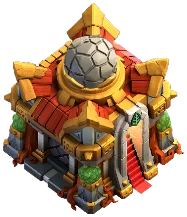
Town Halls
What every Town Hall unlocks and its max levels.
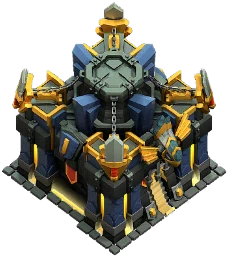
Max Levels
Max level of everything at every Town Hall, in one table.

Game Database
Stats, costs and times for every level of everything.

Player Lookup
Heroes, troops and a rush check for any player tag.

Compare Players
Two players side by side: heroes, troops and rush.
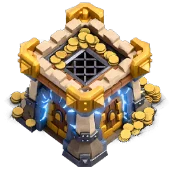
Clan Lookup
Members, war, Town Hall spread and a rush report for any clan.

Events
Raid Weekend, CWL, Clan Games and season timers.
Upcoming events
Event calendar- Clan War Leaguestarts in—
- Raid Weekendstarts in—
- Trader Refreshstarts in—
- Clan Gamesstarts in—
- Season & Gold Passstarts in—
How to track your village
- 1Open Settings in Clash of Clans
Tap the gear icon in the game to open Settings.
- 2Go to More Settings
Scroll down and open More Settings.
- 3Copy your Data Export
Find Data Export and tap Copy. Your village is now on your clipboard as text.
- 4Paste it into ClashProgress
Open My Villages and tap Paste from clipboard (or paste into the box). Done — every tool now uses your real levels.
The free Clash of Clans tracker
ClashProgress tracks your Clash of Clans progress from the game's own data export. Paste it once and you get every building, wall, trap, troop, spell, hero, pet and piece of hero equipment — with exactly what's left to max your Town Hall, how rushed you are, and a plan for every builder.
It covers Town Hall 1 to 18, the Builder Base, all six heroes and every hero equipment, and is updated after every game update. Everything is free, there are no ads and you don't need an account — your village is stored only in your browser.
What you can do
- Progress tracker: see your % maxed for your Town Hall and the gold, elixir, dark elixir, ore and time left.
- Rush checker: compare everything against your previous Town Hall's max levels and get a catch-up order.
- Upgrade planner: automatically schedule every builder, the laboratory and the pet house — never start an upgrade while you sleep.
- 6th builder timeline: every step to unlock B.O.B and how long it'll take.
- Calculators: time to max, hero catch-up, pet catch-up, hero equipment ore, walls, magic items and gems.
- Database: max levels, costs and upgrade times for every building, troop, hero, pet and equipment at every Town Hall.
Frequently asked questions
What is ClashProgress?
A free Clash of Clans tracker. It tracks your whole village from the in-game data export — buildings, walls, traps, troops, spells, heroes, pets and equipment — and adds a rush checker and an automatic builder planner. It's free, has no ads and needs no login.
How do I track my Clash of Clans progress?
Copy your village from Settings → More Settings → Data Export in the game, then paste it on ClashProgress's My Villages page. You'll see your % maxed, what's left to max, and live builder and lab timers.
How do I check if my base is rushed?
Import your village and open the Rush Checker. It compares every building, hero, troop, spell and pet against the max levels of your previous Town Hall and shows a rush score from 0 to 100%.
Is ClashProgress free and safe?
Yes. It's completely free, has no ads and never asks for your Supercell ID. Your village export is processed and stored in your own browser and is never uploaded.
Is ClashProgress updated for Town Hall 18?
Yes. All data comes from the game files and includes Town Hall 18, every hero (including the Minion Prince and Dragon Duke), all hero equipment and supercharges.
Does it work for the Builder Base?
Yes. The export includes your Builder Base, so the Progress Tracker can include it, and the 6th Builder Timeline uses it to plan B.O.B.